
Subscriptions Quickstart
Learn how to create subscriptions quickly using the HL Hunt Dashboard or using the HL Hunt API.
Subscriptions allow you to charge a fixed amount to a card or bank account on a recurring time period. You can use Subscriptions to charge buyers, customers, and more.
Example use cases for Subscriptions:
- Charging buyers a recurring monthly fee to access a gym or health club
- Charging buyers an annual membership fee for services or goods rendered
- Charging merchants a monthly or annual fee for using your software
Creating a Subscription on the HL Hunt Dashboard
You can create a Subscription in the HL Hunt Dashboard without any development work. Using the Dashboard, you can:
- Create subscriptions from existing buyers and payment instruments
- View the existing
Subscriptions - Cancel a
Subscriptionif a buyer or customer chooses to end their goods or services
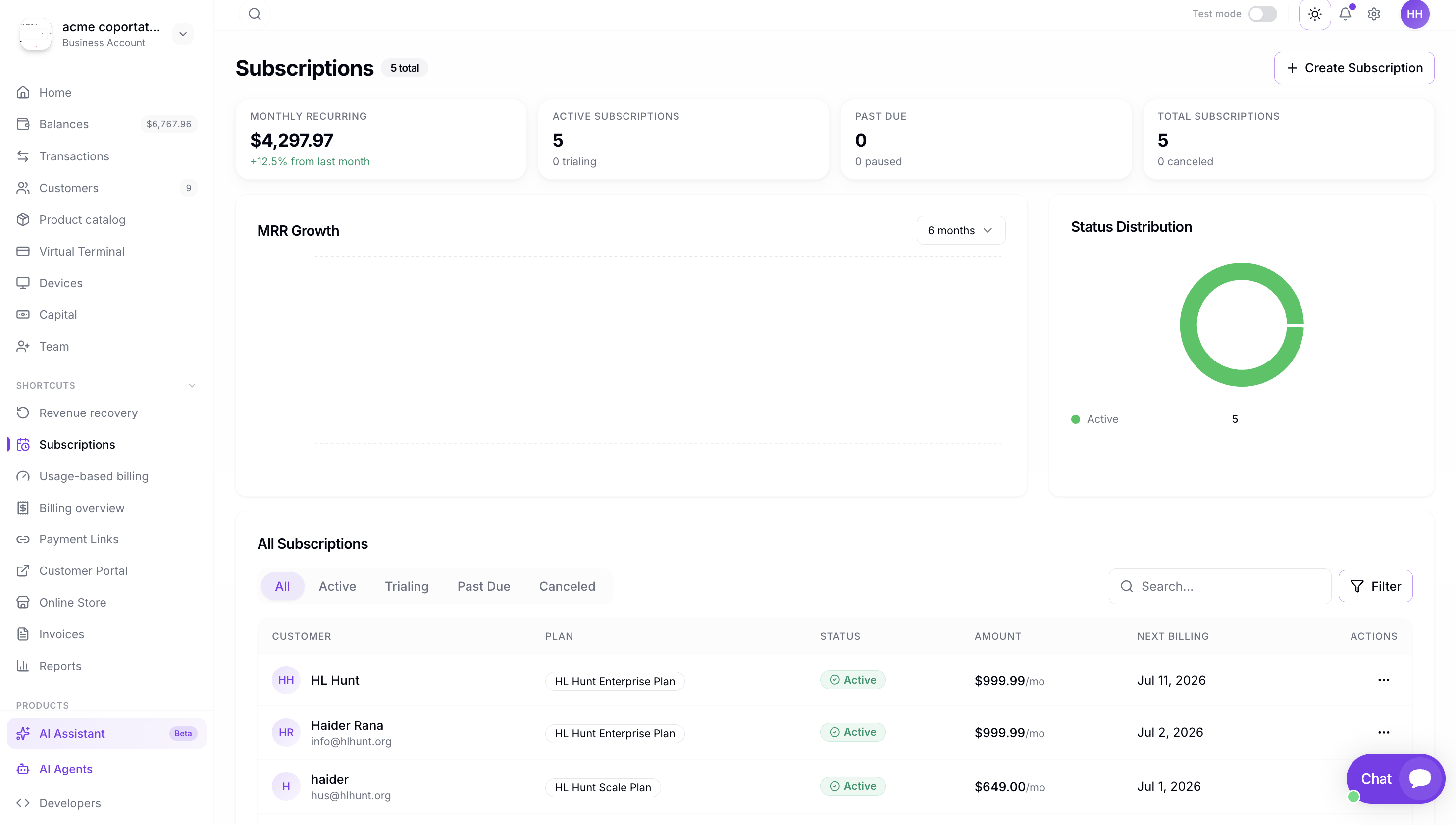
Step 1: Navigate to Subscriptions
To create a Subscription in the HL Hunt Dashboard:
- In the Dashboard, expand Payment Tools in the left navigation.
- Click Subscriptions.
- Click Create Subscription.
Step 2: Create a Subscription Plan
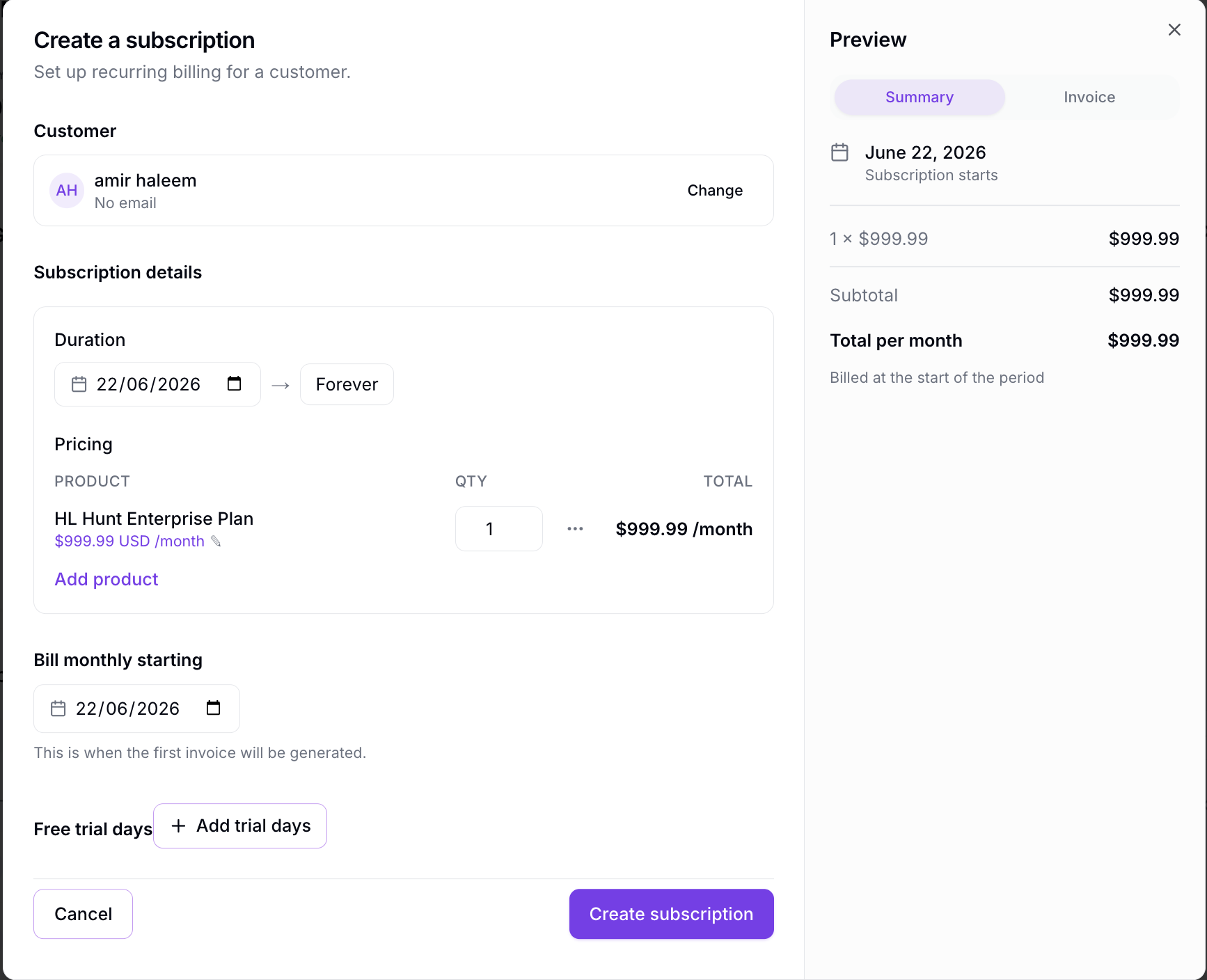
You can create a custom subscription or use an existing plan to create one. Fill out the subscription details including name, billing frequency, and recurring price.
Additional Details
Trial Phase
You can enter a trial phase if your Subscription requires a set number of days before charging the buyer. For example, a 30-day trial, 3-month trial, or other combinations are possible.
Discount Phase
You can enter a discount phase if you would like to have a discounted rate for a set amount of intervals. These take place after the Trial Phase is completed.
Start Date
You can specify a start date for the subscription in the future. This can be useful if you would like all your subscriptions to start on the same day.
Interval Length
If you want to create a Subscription for a set amount of time, you can specify an interval length. For example, if you have a monthly subscription, you can specify an interval length of 6 and the subscription will bill for 6 months.
Select Buyer
When you create a Subscription, you'll need to:
- Select a buyer you want to charge. This can be either a buyer, seller, or recipient identity.
- Select the payment instrument you want to bill.
Creating a Buyer and Payment Instrument
On the Create Subscription page, we allow you to create a buyer and a card payment instrument.
If you would like to add a bank account on this page, you will need to use our API. If you require an exception, email our support team.
Review and Create Subscriptions
After filling out all the details, review the subscription summary and click Create Subscription to finalize.