
Usage-Based Billing Quickstart
Learn how to set up usage-based billing with HL Hunt. Charge your customers based on actual consumption rather than fixed recurring fees.
What is Usage-Based Billing?
Usage-Based Billing (UBB) allows you to charge customers based on how much they use your product or service — API calls, storage, compute hours, messages sent, or any measurable unit.
Common use cases include:
- API platforms — charge per API call or request
- SaaS products — charge per active user, message, or transaction
- Infrastructure — charge per GB stored, compute hour, or bandwidth
- AI/ML services — charge per token, inference, or model call

Step 1: Navigate to Meters
To get started with usage-based billing:
- In the Dashboard, navigate to Usage-Based Billing in the left navigation.
- Click Meters.
- Click Create Meter.
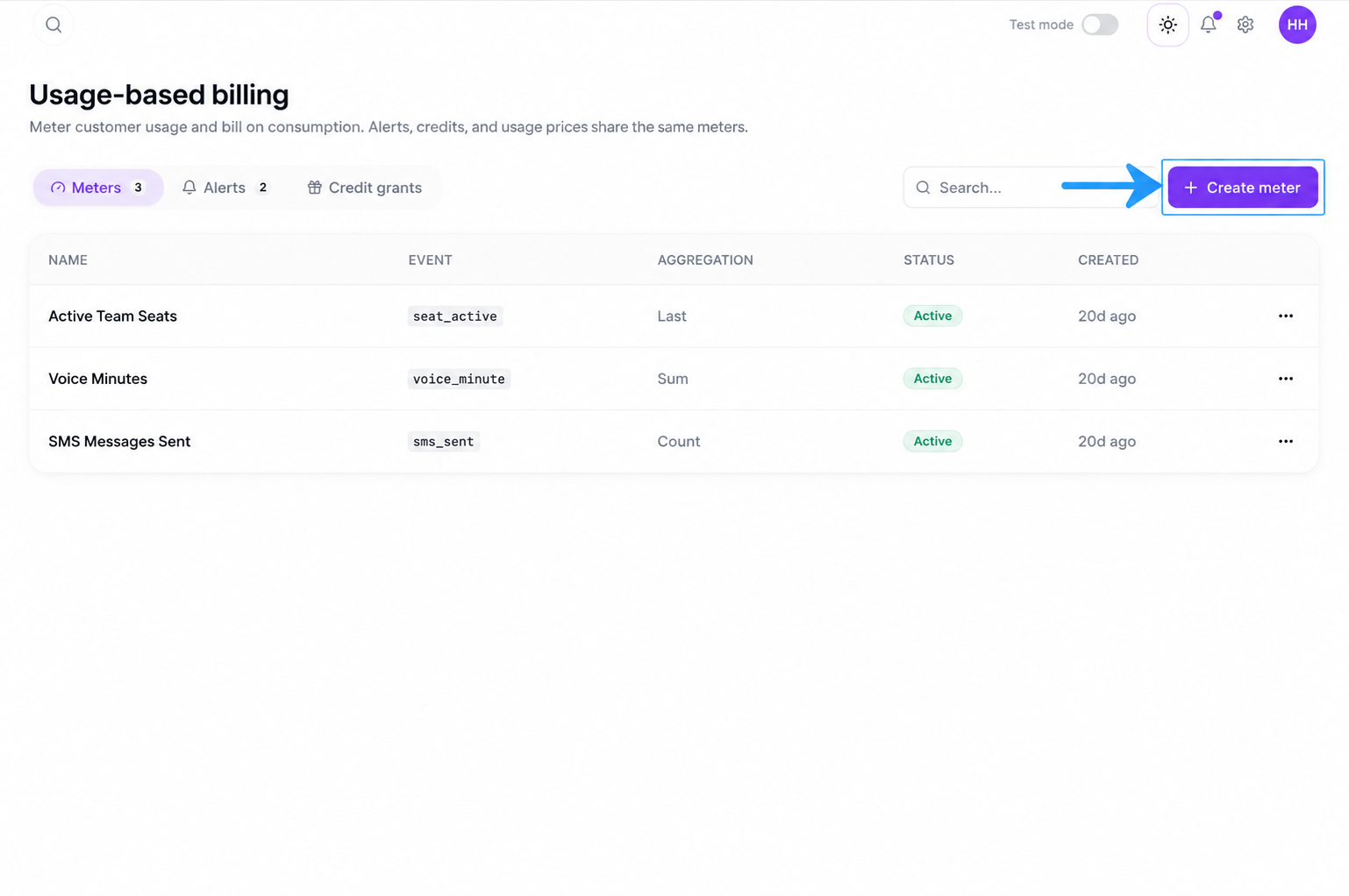
Step 2: Create a Meter
Fill out the meter creation form with the following details:
| Field | Description |
|---|---|
| Meter Name | A descriptive name for the meter (e.g., "API Calls", "Storage GB"). |
| Event Name | The event identifier used when sending usage data (e.g., api_call). |
| Aggregation Type | How events are counted: SUM, COUNT, MAX, or UNIQUE_COUNT. |
| Value Key | The field in the event payload that contains the numeric value to aggregate. |
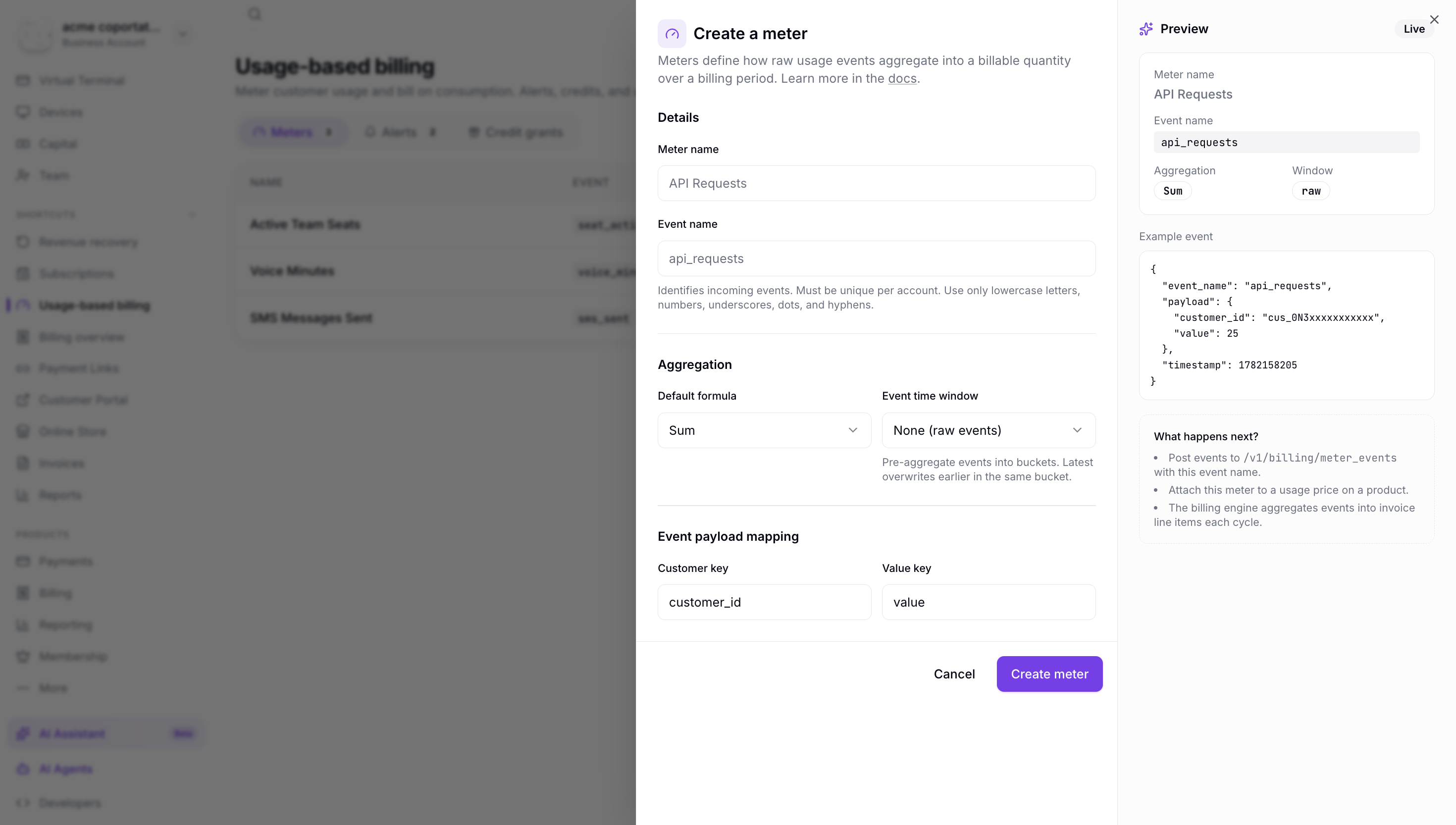
Step 3: View Meter Details
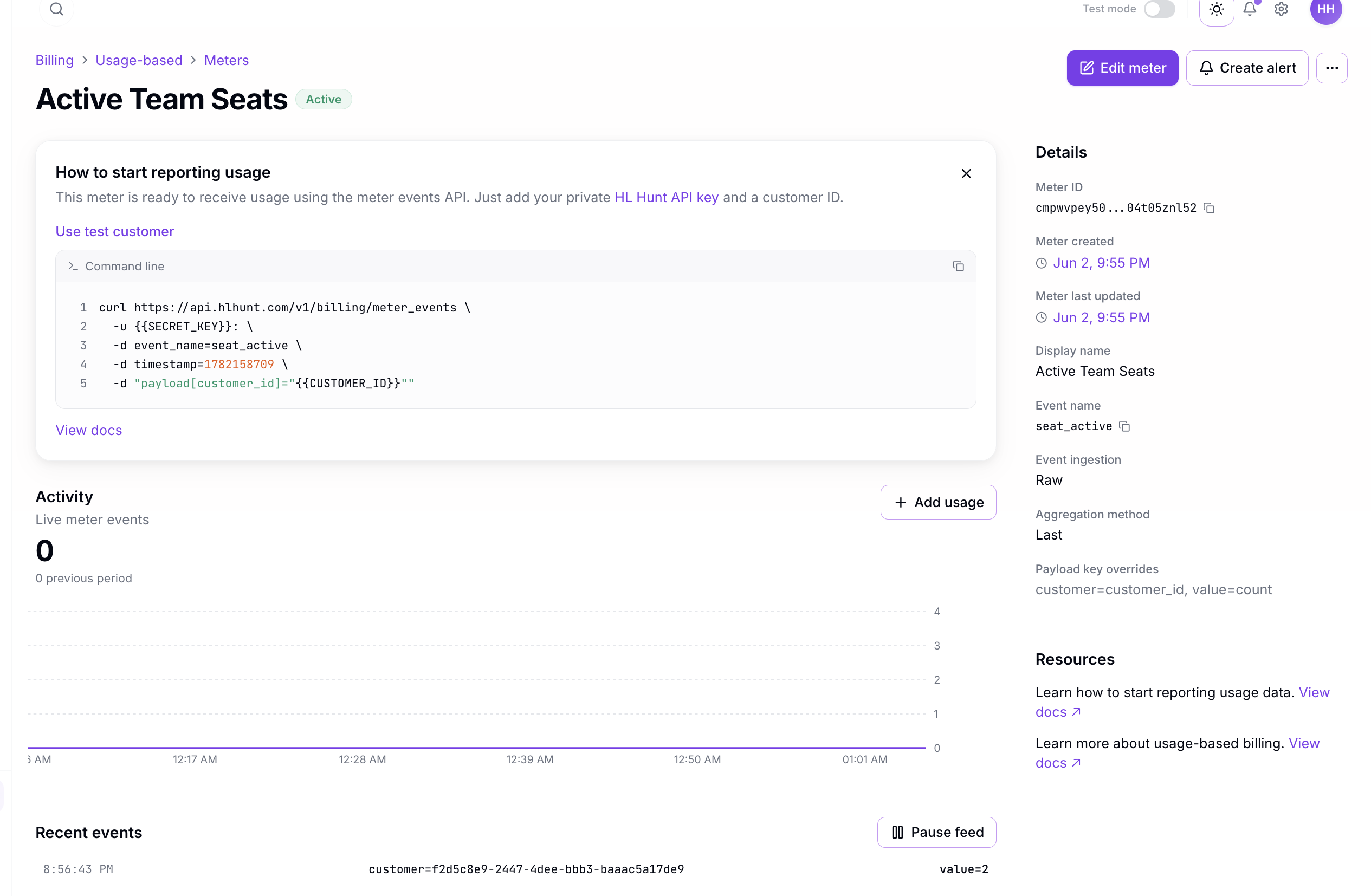
Once the meter is created, click on it to view the meter detail page. Here you can see:
- Event Name — the identifier for sending usage events
- Aggregation — how usage is calculated
- Usage Graph — real-time visualization of meter activity
- Connected Subscriptions — which subscriptions use this meter
- Recent Events — a log of the latest usage events received
Next Steps
After creating your meter, continue with:
- Recording Usage — send usage events to your meter
- Pricing Models — configure how usage translates to charges
- Billing Flow — understand how billing cycles work
- Alerts — set up threshold notifications