
Credit Grants
Give customers prepaid credit balances that are consumed before metered charges are billed.
What are Credits?
Credits are prepaid balances assigned to a customer that offset their usage charges. Common use cases:
- Free tier — give new customers $50 in credits to get started
- Promotional offers — reward customers with bonus credits
- Enterprise contracts — pre-pay a committed amount
- Refunds as credit — issue credit instead of cash refunds
Creating a Credit Grant
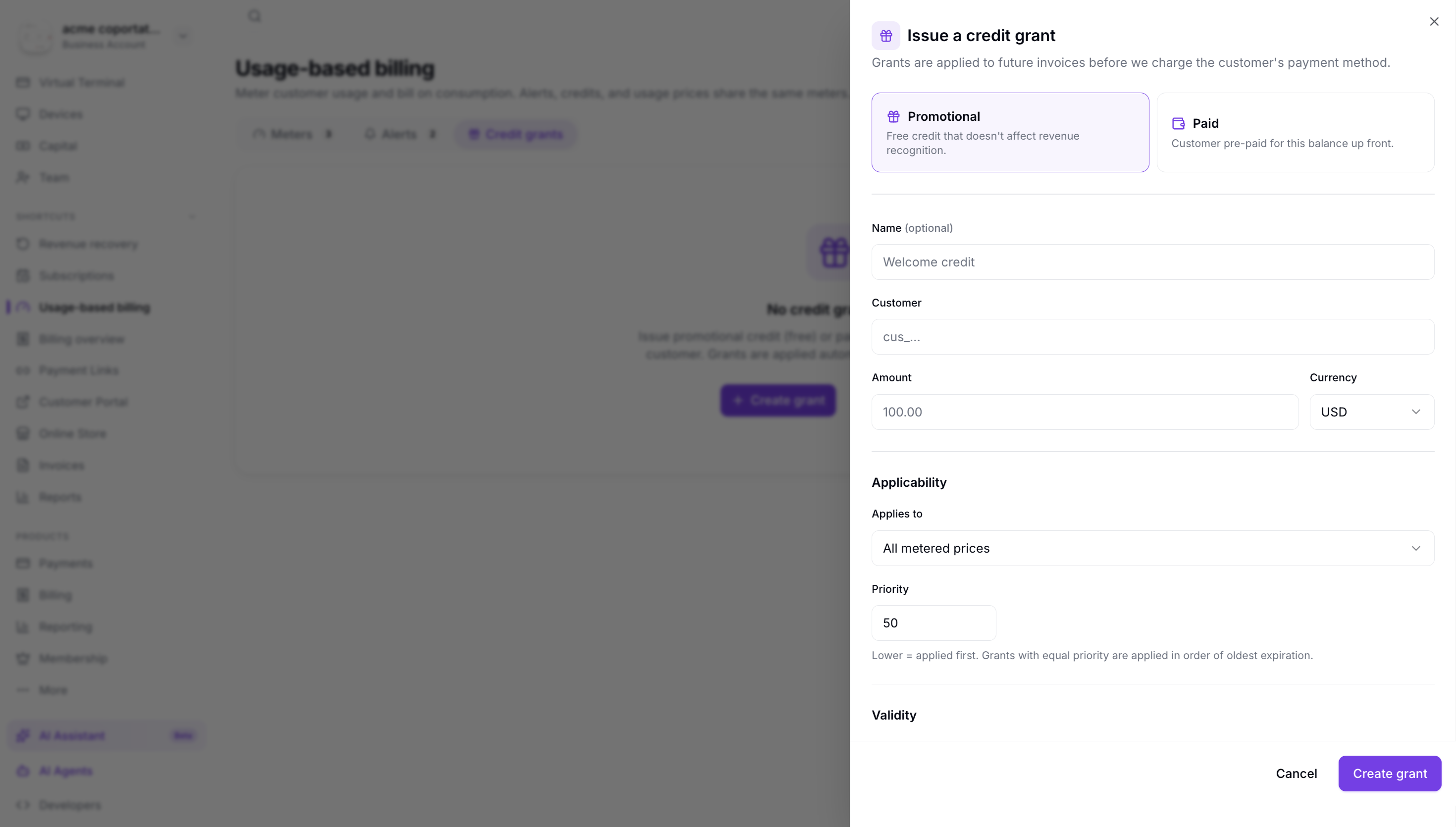
To issue credits to a customer:
- Navigate to Usage-Based Billing → Credit Grants.
- Click Create Credit Grant.
- Select the customer.
- Enter the credit amount (in dollars).
- Optionally set an expiration date.
- Click Create.
How Credits are Applied
When an invoice is generated at the end of a billing period:
- Total usage charges are calculated.
- Available credits are deducted from the total.
- Only the remaining balance (if any) is charged to the customer's payment method.
Credits are consumed on a first-expiring-first-out (FEFO) basis. Credits with the earliest expiration date are used first.