
Alerts
Set up threshold-based notifications to monitor customer usage and take action when limits are reached.
Creating Alerts
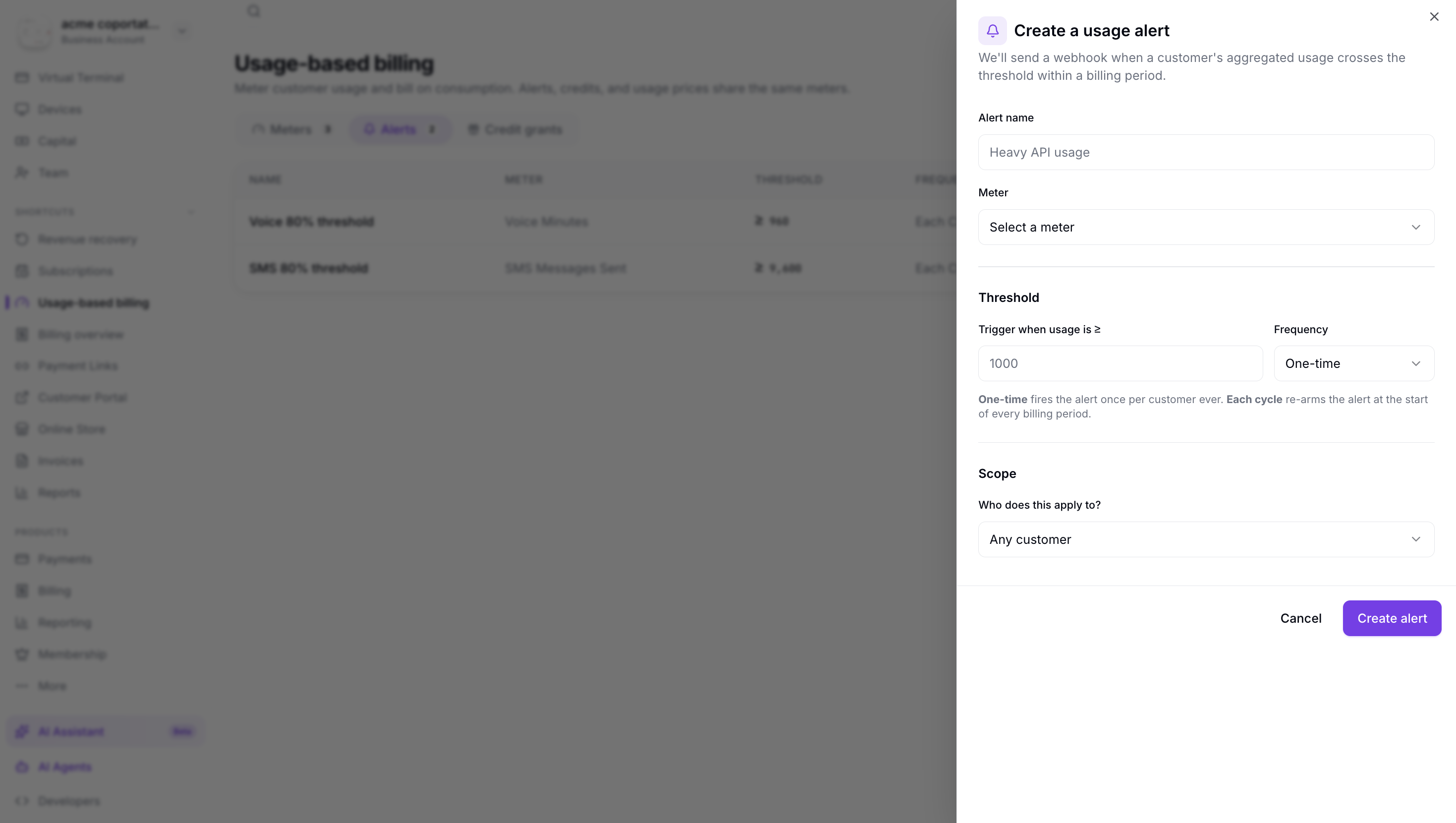
To create a usage alert:
- Navigate to Usage-Based Billing → Alerts.
- Click Create Alert.
- Select the meter to monitor.
- Set the threshold value and condition (e.g., usage exceeds 10,000).
- Configure notification settings (webhook, email).
- Click Save.
Alert Types
| Type | Description |
|---|---|
| Threshold Alert | Triggers when a customer's usage exceeds a specified value. |
| Percentage Alert | Triggers at percentage milestones of a customer's credit balance (e.g., 75%, 90%, 100%). |
| Spike Alert | Triggers when usage increases abnormally fast compared to the rolling average. |
Managing Alerts
From the Alerts page you can:
- View all active alerts and their current status
- Edit threshold values and notification settings
- Pause or disable alerts temporarily
- View alert history and triggered events